• Pricing
    • Individual Memberships
    • Group Memberships
  • Webinars
  • Support Hub
    • Full List Of Guides
    • Help & FAQ
    • Partnerships
    • About Us
    • Blog
    • Contact Us
  • Member Section

fpPathfinder

Helping Diligent Advisors Ensure They're On The Right Planning Path

  • Pricing
    • Individual Memberships
    • Group Memberships
  • Webinars
  • Support Hub
    • Full List Of Guides
    • Help & FAQ
    • Partnerships
    • About Us
    • Blog
    • Contact Us
  • Member Section
  • Become a Member
    Log In

How Do I Use These Resources In A Client Meeting?

April 8, 2021
Best Practices, How Advisors Use The Checklists and Flowcharts, Getting Started

There are lots of great ways to use the resources from fpPathfinder with your clients in meetings. Oftentimes, it depends on your own preferences. It may take a little experimenting before you find an approach that is right for you. What follows are several examples of how advisors are using these with their clients.

Above all else, If you’re meeting with a client and are planning to use a checklist or flowchart, the first step is to familiarize yourself with the resource before you meet with the client.

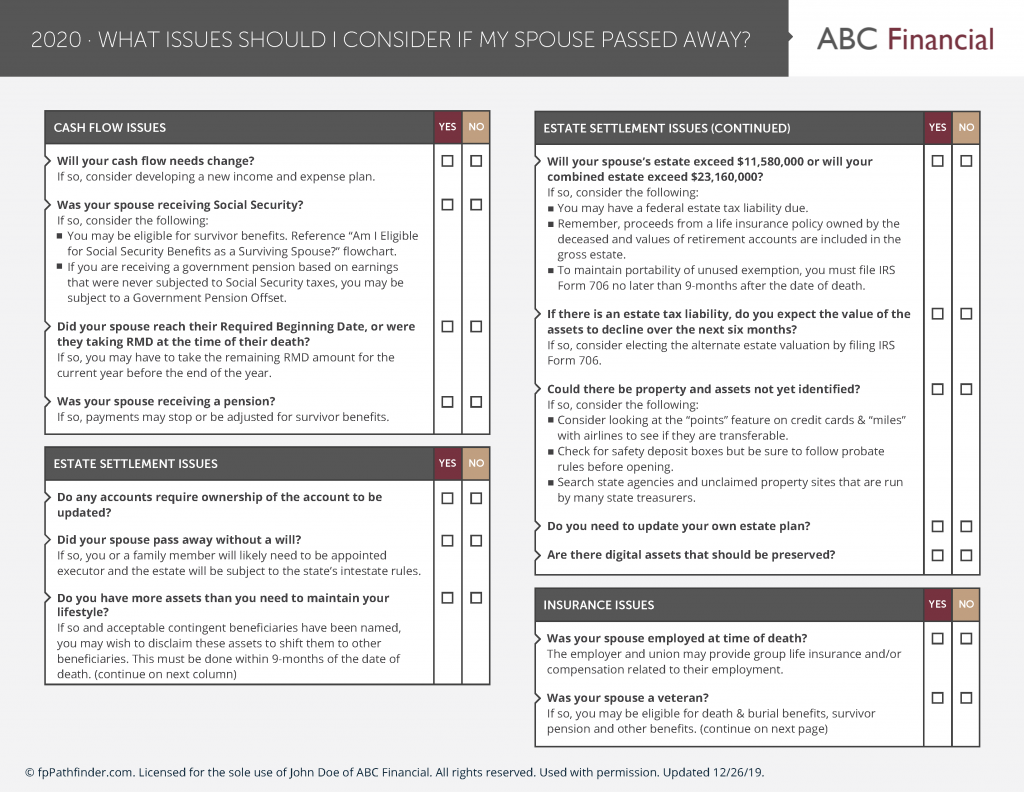
Think of these checklists and flowcharts as conversation aids. Through a conversation, you can begin to identify lots of different planning opportunities and confirm details that you may have otherwise missed.

Some advisors will go through the checklist one question at a time. Others will use it as an outline. It may depend on the client situation and how well you know the client. A new client, in which you know very little about them, may require you to go through each question. In this case, you are able to learn a lot about their situation.

Some members will go through the checklist and cover key questions. Perhaps they highlight the questions they want to focus on, but leave 10-15 minutes at the end of the meeting to quickly go through the other questions to ensure that everyone is on the same page.

In another example, you could break “Issues To Consider In Client Annual Review Meeting” for multiple meetings with the same client in one year. Instead of covering the whole checklist in one meeting, you could address 1-2 sections of the checklist for each meeting. Perhaps in the first meeting of the year, you could discuss the probing questions in the Cashflow section of the checklist. And in the second meeting, you could focus on questions in the Asset and Debt section of the checklist.

As you are going through the resource with the client, if you feel fairly confident about an answer that a client will give… or feel uncomfortable asking a question that you pretty much know the answer to, try turning it around into a statement. Say it out loud so the client knows that you are skipping over certain parts “You don’t have minor children, so these tax breaks don’t apply.”

Some advisors want the client to see that they are working off a checklist or flowchart. It shows to the client that you are detail focused and diligent. If that sounds like you, you can send this to the client in advance of the meeting, or, if you’re meeting virtually, you can share your screen (just be mindful that you are adhering to rules set by your compliance department).

In other cases, some advisors want to keep checklists and flowcharts as their secret sauce. That’s ok too. The point is that these checklists can help uncover planning opportunities to help your client.

It’s important to document the conversation and the answers. Check the boxes as Yes or No for what you have discussed. If you did not discuss a question, leave it blank (perhaps more research is needed, or the client can’t answer the question). That will get categorized later after the meeting.

You just finished going through a checklist with a client, now what do you do with it?
Sign Up to Receive Updates

Join our mailing list to be updated as we release new flowcharts and checklists that might be of interest.
  • This field is for validation purposes and should be left unchanged.

Categories

  • Service Guides – Linked
    • Guide Bundles
    • Timely Conversations
    • Age-Related Planning
    • Money In Motion
    • Top 10 Most Popular Resources
    • Client Service Calendar
  • How Advisors Use The Checklists and Flowcharts
    • Best Practices
    • Getting Started
    • Marketing
    • Planning Management
  • Announcements
    • Company Announcements
    • Resource Additions
    • Feature Annoucements
    • Updated Resources
  • In The Press
  • Uncategorized

Become a Member

See how our flowcharts and checklists help you navigate complex financial planning questions.
Become a Member

What Customers Are Saying About Us

Hundreds of other advisors are actively using fpPathfinder. Read what those lovely people have to say about us.
“This is probably the best money I have ever spent. I love fpPathfinder!”
— Phillip, an advisor in North Carolina
“The fpPathfinder information is easy to find by topic and has been helpful in prepping for client meetings.”
— An advisor in New York
“You are making all of our lives easier...and more importantly, our clients.”
— Jeff, an advisor in California
“I just met with a client who had a question regarding her eligibility for Social Security benefits. We went through the flowcharts answering each question and following the lines. She looked at me and said 'This is great, it was so much easier to use this than trying to go through all the literature that Social Security offers. Thank you so much.'”
— Ben G, an advisor in Wisconsin
“Thanks for having all of these so conveniently put together. We were working on many of these for years, but often could not find the time to keep them updated. This has been a blessing to our firm. ”
— An advisor in Texas
“I find fpPathfinder to be very helpful. I use the checklists and flowcharts to help prep for every meeting.”
— Ryan, an advisor in New York
“Your software and platform are awesome and super helpful to me and my clients”
— Clinton, an Advisor in New York
Become a Member
  • Become a Member Archived
  • Member Section
  • Your Membership
  • About Us
  • Contact Us
  • Refund Policy
  • TOS & Privacy Policy
  • Careers: Job Postings

Sign Up For The Newsletter!

Join our mailing list for best practices and ideas for better client conversations.
  • This field is for validation purposes and should be left unchanged.

Have a question, idea, or comment? We want to know! Contact Us

Copyright © 2026 fpPathfinder, All rights reserved.

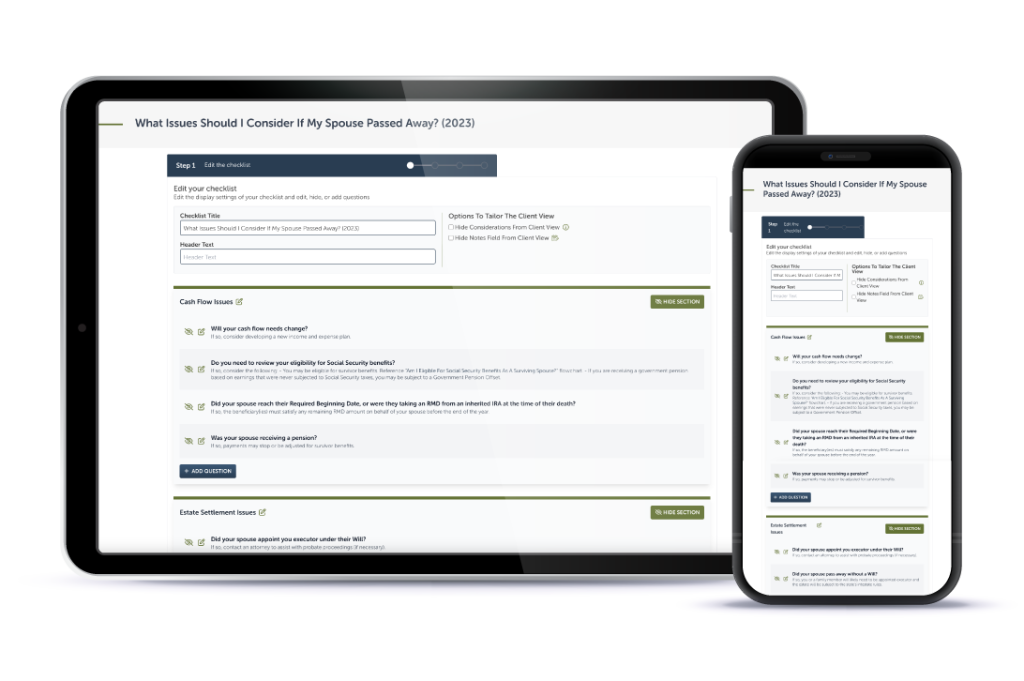
Streamline A Standout Client Experience With Interactive Checklists

Premier unlocks Interactive Checklists plus CRM integrations with Redtail, Wealthbox, Salesforce Financial Services Cloud, and XLR8.

Learn More

Educate And Impress With Branded Flowcharts, Checklists, And Summary Guides

Deliver white-labled handouts clients won’t want to put down. Upgrade to Deluxe or Premier to white label the guides.

Learn More

Download all your white-labeled guides in one zip file for faster, easier sharing.

Upgrade to Deluxe or Premier for access to this feature.

Learn More

Deliverable Reports: Do More With Less Effort

Upgrade to Deluxe for Single Report Access or Premier Membership for full access. Premier Members can unlock the capability to scale your client communications with the CSV upload option that generates client-specific PDFs. View a Demo here.

Join as a Premier Member

Close
Retry