
• Pricing
    • Individual Memberships
    • Group Memberships
  • Webinars
  • Support Hub
    • Full List Of Guides
    • Help & FAQ
    • Partnerships
    • About Us
    • Blog
    • Contact Us
  • Member Section

fpPathfinder

Helping Diligent Advisors Ensure They're On The Right Planning Path

  • Pricing
    • Individual Memberships
    • Group Memberships
  • Webinars
  • Support Hub
    • Full List Of Guides
    • Help & FAQ
    • Partnerships
    • About Us
    • Blog
    • Contact Us
  • Member Section
  • Become a Member
    Log In

Interactive Flowcharts: The Functionality Expands + The List Grows

July 7, 2021
Announcements, Feature Annoucements

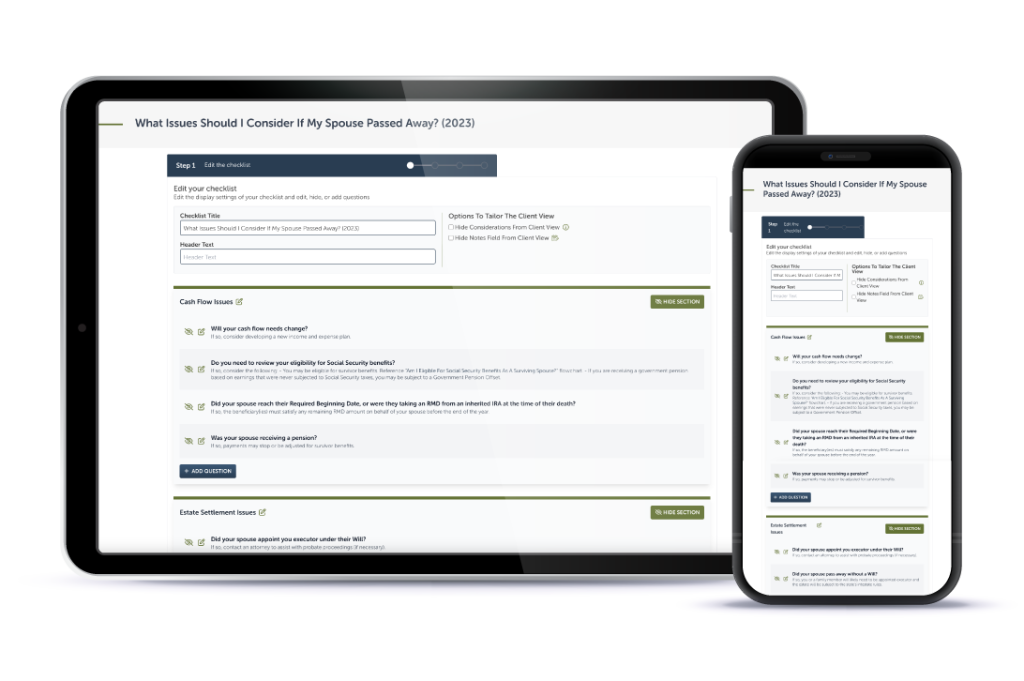
As part of our continuing interactive flowchart beta test, Premier Members have access to notetaking functionality. Additionally, they have a new interactive flowchart to add to their repertoire.

Add Notes Directly To The Interactive Flowchart

The interactive flowchart beta test launched in February, and our members have provided a lot of great feedback. The most common request has been to add notes directly into the flowchart.

We took the request to our developers, and they brought the concept to life for the group of flowcharts in the beta test. Here’s how it works:

  • Document your client’s “yes” or “no” answers to each question.
  • Add additional notes as you see fit, just like you would have done on the hard copy!
  • When you’re done, click review to see the details and the additional comments you added.
  • You can then:
    • Print the complete and accurate record of your conversation and add it to a physical file.
    • Copy the text and paste it into the client record of your CRM.
    • Document your conversation to the client record with just one click if you have Wealthbox, Redtail, or XLR8 for Salesforce CRM integrations.

Anyone – whether you’re a member or not – can give interactive flowcharts a spin. Start by visiting the “Can I Make A Deductible IRA Contribution?” flowchart. Next, open the interactive version, try it out, and consider the benefits of using it in your practice.

A New Interactive Flowchart

As an added bonus, the “What Will Have The Least Tax Impact: Harvesting Capital Gains or Roth Conversions?” flowchart is now interactive. When you launch the interactive flowchart, you’ll be able to record your client’s responses and document the guidance that fits your client’s circumstances.

The following flowcharts are also interactive:

• Can I Make A Deductible IRA Contribution? (Open access! Give it a try.)
• Can I Make A Backdoor Roth IRA Contribution?
• Should I Consider Refinancing My Mortgage?
• Will I Receive A Step-Up In Basis For This Inherited Property?
• Will The Distribution From My HSA Be Tax & Penalty Free?

Interactive flowcharts are a benefit of Premier Membership. If you’d like to become a member or upgrade your membership, click here to make the most of every opportunity fpPathfinder delivers.
Sign Up to Receive Updates

Join our mailing list to be updated as we release new flowcharts and checklists that might be of interest.
  • This field is for validation purposes and should be left unchanged.

Categories

  • Service Guides – Linked
    • Guide Bundles
    • Timely Conversations
    • Age-Related Planning
    • Money In Motion
    • Top 10 Most Popular Resources
    • Client Service Calendar
  • How Advisors Use The Checklists and Flowcharts
    • Best Practices
    • Getting Started
    • Marketing
    • Planning Management
  • Announcements
    • Company Announcements
    • Resource Additions
    • Feature Annoucements
    • Updated Resources
  • In The Press
  • Uncategorized

Become a Member

See how our flowcharts and checklists help you navigate complex financial planning questions.
Become a Member

What Customers Are Saying About Us

Hundreds of other advisors are actively using fpPathfinder. Read what those lovely people have to say about us.
“I just met with a client who had a question regarding her eligibility for Social Security benefits. We went through the flowcharts answering each question and following the lines. She looked at me and said 'This is great, it was so much easier to use this than trying to go through all the literature that Social Security offers. Thank you so much.'”
— Ben G, an advisor in Wisconsin
“The charts are probably as much value to me (as advisor) as they are when given to a specific client. I know and understand the topics covered, but it can be a lot faster to refresh with a quick glance at the chart’s decision tree vs having to read through regulations”
— Larry, an advisor in Oregon
“In client meetings I'm often sharing a checklist regarding a specific topic, and helping clients understand the planning issues, opportunities, and process all very quickly and efficiently.”
— An advisor in Texas
“The white-label feature in Deluxe is really fantastic. It is really powerful to talk through the decision tree with a client with our logo & color options on the chart, frankly, because it makes us look smarter!”
— Bill, an advisor in New York
“I adore your product. It’s so helpful to my clients and myself. I really like that I could change all the colors to match my logo. It looks fantastic.”
— An advisor in Washington
“The flowcharts have helped a lot in recent discussions with the changing markets, providing us with confidence that our clients are getting the best, most accurate information.”
— Matthew, an advisor in Georgia
“I love your resources, you guys & gals have helped us take our practice to the next level!”
— Trevor, an advisor in California
Become a Member
  • Become a Member Archived
  • Member Section
  • Your Membership
  • About Us
  • Contact Us
  • Refund Policy
  • TOS & Privacy Policy
  • Careers: Job Postings

Sign Up For The Newsletter!

Join our mailing list for best practices and ideas for better client conversations.
  • This field is for validation purposes and should be left unchanged.

Have a question, idea, or comment? We want to know! Contact Us

Copyright © 2026 fpPathfinder, All rights reserved.

Streamline A Standout Client Experience With Interactive Checklists

Premier unlocks Interactive Checklists plus CRM integrations with Redtail, Wealthbox, Salesforce Financial Services Cloud, and XLR8.

Learn More

Educate And Impress With Branded Flowcharts, Checklists, And Summary Guides

Deliver white-labled handouts clients won’t want to put down. Upgrade to Deluxe or Premier to white label the guides.

Learn More

Download all your white-labeled guides in one zip file for faster, easier sharing.

Upgrade to Deluxe or Premier for access to this feature.

Learn More

Deliverable Reports: Do More With Less Effort

Upgrade to Deluxe for Single Report Access or Premier Membership for full access. Premier Members can unlock the capability to scale your client communications with the CSV upload option that generates client-specific PDFs. View a Demo here.

Join as a Premier Member

Close
Retry